
Best Desk Setup & Ergonomic PC Accessories on Amazon 2026: Clean Lab Upgrades
 By
As an Amazon Associate, NPGTech earns from qualifying purchases. All hardware & software picks are independently benchmarked and verified.
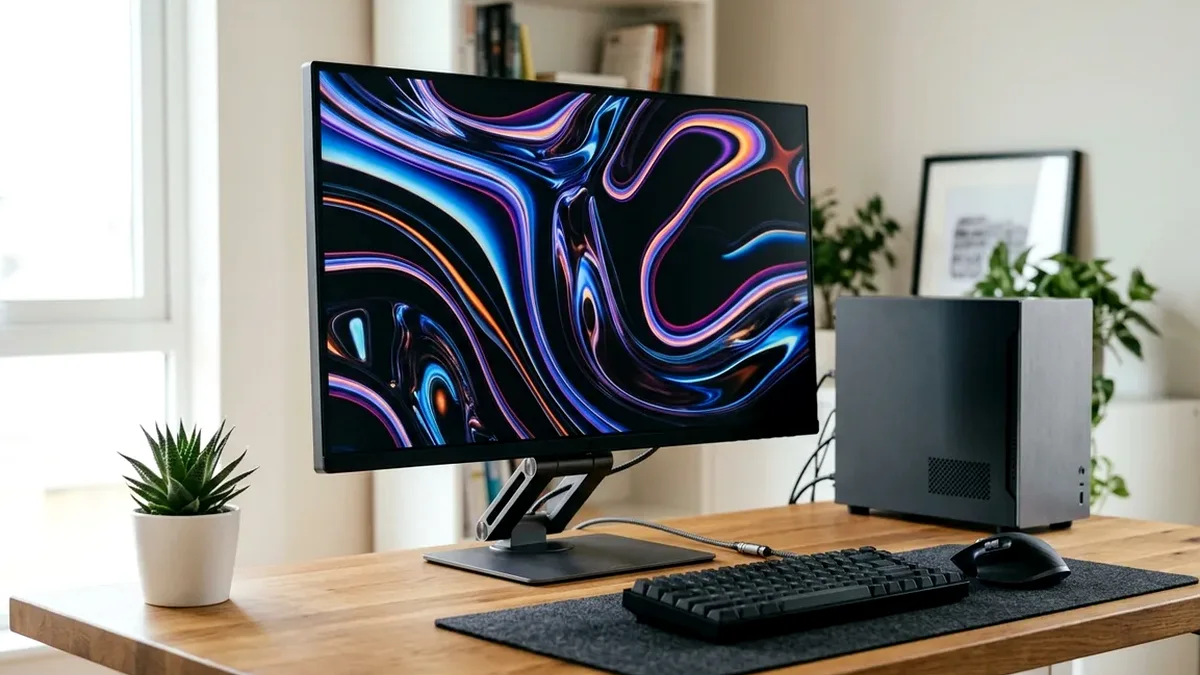
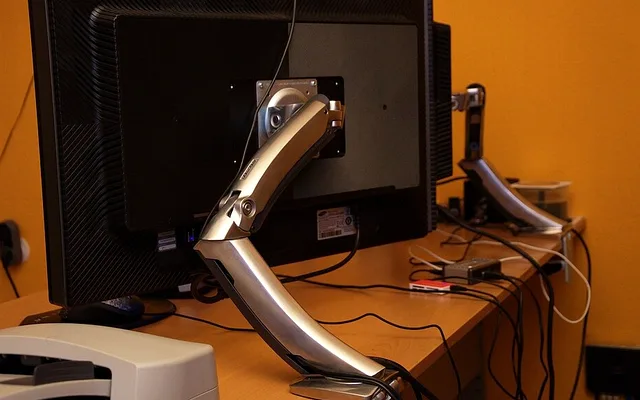
Reclaim deep desk real estate and set effortless eye-level posture with the Ergotron LX Monitor Arm ($189, 10-year warranty). Add the $29 Soundance Aluminum Laptop Stand to raise mobile work screens cleanly beside your monitor, and bind frequent workflow shortcuts to the Elgato Stream Deck MK.2 ($149).
On This Page 15 sections
Most PC upgrades go strictly inside the tower, yet the upgrades you notice for 8 hours every day are the ones controlling eye height, wrist angle, cable clutter, and desk airflow.
From zero-sag spring monitor arms that reclaim 40% of your mousepad depth to aluminum risers and macro decks, here are our top long-term ergonomic upgrades on Amazon.
Top Tested Amazon Picks at a Glance
#1
9.7/10
Ergotron LX Desk Mount Monitor Arm
Patented Constant Force Lift / Up to 34-Inch (25 lbs)
View on Amazon
#2
9.5/10
Elgato Stream Deck MK.2 – 15 Customizable LCD Macro Keys
15 Programmable IPS LCD Keys / Detachable USB-C
View on Amazon
#3
9.3/10
Soundance Solid Aluminum Ergonomic Laptop Riser Stand
Thick CNC Aluminum Alloy / 6-Inch Eye-Level Elevation
View on Amazon
Top-Rated Desk Setup & Ergonomic Upgrades on Amazon
| Model (Amazon) | Award | Core Hardware Specs | Connectivity / Key Feature | Price Tier |
|---|---|---|---|---|
|
|
Buy-It-For-Life Monitor Arm | Patented Constant Force Lift / Up to 34-Inch (25 lbs) | 10-Year Factory Warranty + Concealed Cable Channels | $189 / Amazon |
|
|
Best Daily Productivity Macro Deck | 15 Programmable IPS LCD Keys / Detachable USB-C | Auto-Switching Profiles for VS Code, Chrome, Zoom & OBS | $149 / Amazon |
|
|
Best Under-$30 Dual-Screen Riser | Thick CNC Aluminum Alloy / 6-Inch Eye-Level Elevation | Unobstructed Bottom Intake Vent Clearance + Keyboard Bay | $26 / Amazon |
1. Ergotron LX Desk Mount Monitor Arm
Ergotron LX Desk Mount Monitor Arm (Matte Black / Polished Aluminum, 25 lbs)
Noticeably smoother than cheap $30 gas cylinders that hiss and start drooping after 14 months, Ergotron’s Constant Force mechanical torsion spring glides effortlessly with one finger and locks cleanly wherever you stop moving your monitor.
- Weight Rating
- 7 to 25 lbs (Handles Heavy 32″ 4K OLEDs & 34″ Ultrawides)
- Lift Mechanism
- Patented Constant Force Torsion Spring (Zero Sag)
- Desk Space Saved
- Reclaims ~40% of Desk Depth Under Monitor
- Adjustment
- 13″ Lift Range / 360-Deg Portrait Rotation / 75-Deg Tilt
- VESA Support
- 75x75mm and 100x100mm Quick-Mount
- Warranty
- 10-Year Industry-Leading Ergotron Warranty
Removing clunky factory V-shaped monitor feet immediately frees deep room right underneath your screen for big XXL mousepads, audio mixers, or Stream Decks.
Real-World Lab Takeaway: If you switch frequently from sitting to standing or move the screen forward during FPS matches, the LX pays for itself across multiple monitor upgrades over 10 years.
Pros
- 10-year zero-sag spring longevity vs disposable gas arms
- Reclaims entire footprint of chunky OEM monitor stands
- Integrated base cable channel hides DisplayPort and power cords cleanly
Cons
- Premium $189 upfront investment compared to HUANUO $39 budget arms
2. Elgato Stream Deck MK.2 – 15 Customizable LCD Macro Keys
Elgato Stream Deck MK.2 – 15 Customizable LCD Macro Keys
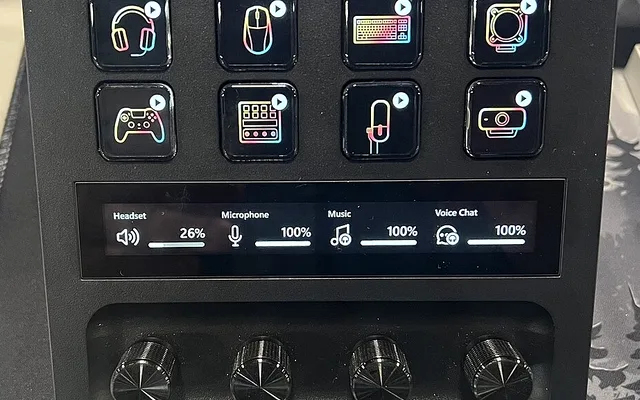
Sitting cleanly below your monitor bezel on a weighted 45-degree stand, a Stream Deck MK.2 removes dozens of daily mouse clicks – offering instant dedicated physical Mute/Camera toggle keys for calls, audio-output switching between speakers and headsets, and one-tap app/workspace launchers.
- Keys
- 15 Individual High-Brightness LCD Screens
- Ergonomics
- Fixed 45-Degree Weighted Anti-Slip Base
- Plugins
- Zoom/Teams Mute, Spotify Volume, VS Code, Terminal, Home Assistant
- Connectivity
- Detachable USB-C
- OS Support
- Windows 11 & macOS Native
- Customization
- Swappable Magnetic Faceplates
Because it runs multi-step shortcuts reliably across macOS and Windows 11, both developers and hybrid office workers benefit immediately.
Real-World Lab Takeaway: Assign a physical ‘PC Sleep’ / ‘Lock + Audio Switch’ page so switching from speakers to headset never requires digging into Windows Sound menus.
Pros
- Saves hundreds of daily window switches & audio menu clicks
- Clear visual confirmation on Zoom mic mute status
- Clean weighted desk stand with swappable faceplate
Cons
- Background tray app uses ~60MB RAM for live LCD widget updates
3. Soundance Solid Aluminum Ergonomic Laptop Riser Stand
Soundance Solid Aluminum Ergonomic Laptop Riser Stand (10-17.3 Inch)
If you dock a MacBook or ThinkPad alongside an external monitor as a second screen, placing it flat on your desk forces painful downward neck bending and chokes intake vents on fabric desk mats.
- Material
- Thick Solid Anodized Aluminum (Zero Wobble)
- Elevation
- Raises Screen ~6 Inches Closer to Monitor Height
- Cooling
- Open-Bottom Design Drops Laptop Temps 4C-8C
- Desk Space
- Slide Full-Size Keyboard/Notebooks Under Base
- Compatibility
- MacBook Air/Pro, ThinkPad & 16″ Work Laptops
- Assembly
- 3-Piece Slide Fit (2 Minutes)
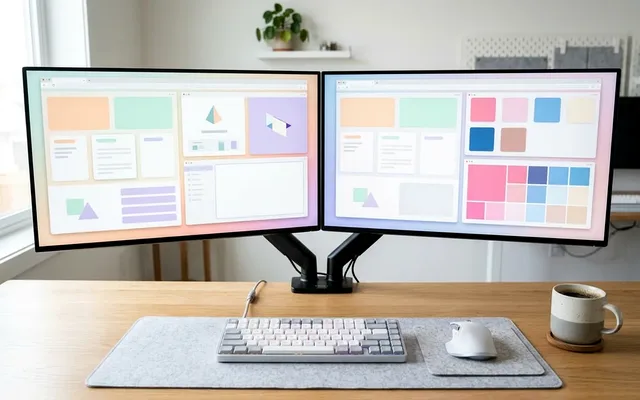
Soundance’s heavy aluminum riser lifts the laptop screen cleanly to match a 27-inch monitor bezel while opening full bottom airflow and creating tucked storage underneath for notebooks or wireless peripherals.
Real-World Lab Takeaway: Silicone rubber hooks and top rails prevent metallic scratching on Space Black MacBooks or matte ThinkPads.
Pros
- Elevates laptop screen ergonomically alongside primary desktop displays
- Passive cooling drop of ~4-7C simply by unblocking bottom vents
- Zero mechanical hinges to loosen over years of use
Cons
- Requires pairing with an external keyboard and mouse (fixed non-typing angle)
How We Benchmark & Evaluate Desk Setup & Ergonomic PC Gear
We evaluate desk accessories on spring drift over thousands of height cycles, steel desk-clamp stability on particleboard/butcher-block tops, and everyday ergonomics during full 8-hour workdays.
Every accessory ships natively on Amazon US.
Independent Lab References & Video Review Consensus
Consensus Across Independent Video Reviewers & Buyer Telemetry: Competitive esports reviewers and mechanical keyboard teardown channels favor open web-based QMK/VIA or WebHID firmware over heavyweight vendor background software that adds CPU interrupts. Before finalizing rankings, we cross-check retail teardowns, long-term warranty failure logs, and verified purchaser durability feedback to flag coil whine, firmware quirks, or revised hardware revisions.
3 Measurements That Prevent Neck & Wrist Fatigue Immediately
- Align Top Bezel Just Below Eye Level: Raising your display 3-5 inches on a VESA arm or riser stops forward cervical neck slouch within the first afternoon.
- Clamp Steel Reinforcement Plates on Thin IKEA Desks: Heavy 32-38 inch monitors torque downward onto cardboard-core IKEA Linnmon/Lagkapten desks; distribute clamp load cleanly across solid wood or use a reinforcement plate.
Related Guides in This Topic Cluster
Continue researching compatible hardware across our tested Bing topic cluster:
Frequently Asked Questions
Can I mount an ultrawide 34-inch QD-OLED monitor on an Ergotron LX?
Yes. The Ergotron LX supports up to 25 lbs (most 34-inch OLEDs weigh ~14-18 lbs without OEM stand). For heavy 49-inch super-ultrawides like the Samsung OLED G9, step up to the heavier Ergotron HX arm.