
Best Gaming Keyboards 2026 on Amazon: Hall-Effect Rapid Trigger & Gasket Mechanical
 By
As an Amazon Associate, NPGTech earns from qualifying purchases. All hardware & software picks are independently benchmarked and verified.
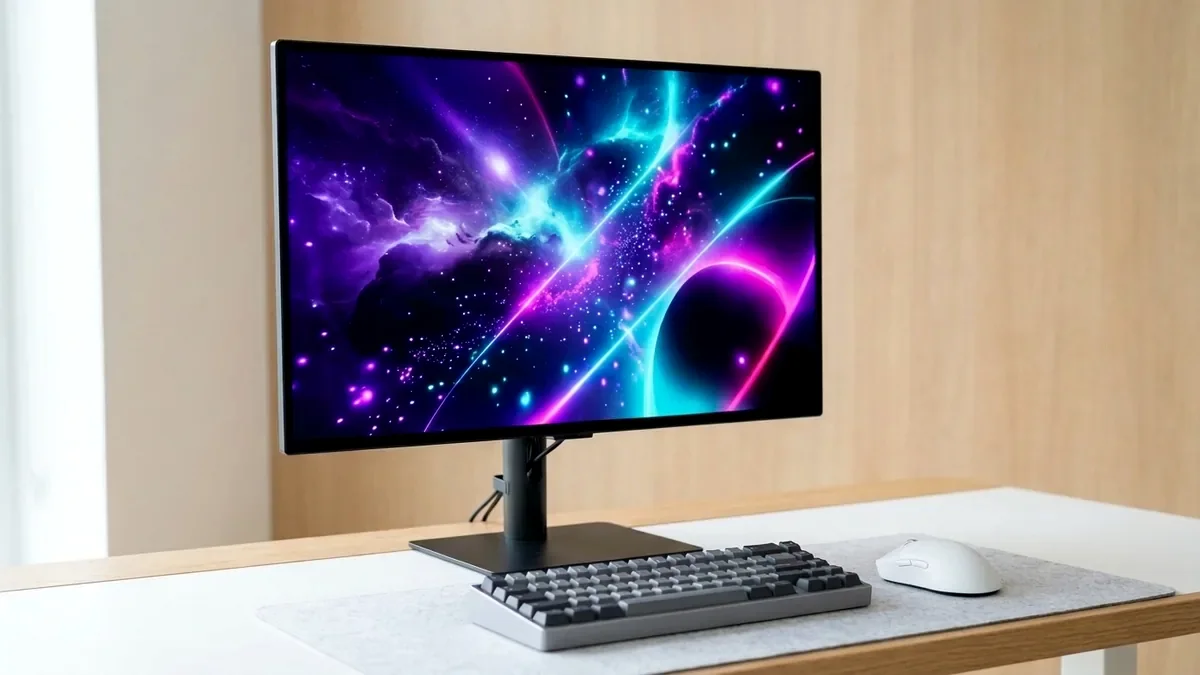
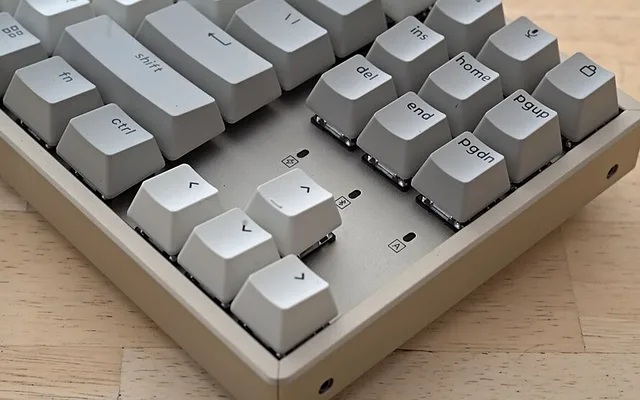
The SteelSeries Apex Pro TKL (OmniPoint 2.0/3.0 Magnetic Hall-Effect on Amazon) is the best competitive esports keyboard overall thanks to its 0.1mm-4.0mm per-key adjustable actuation and Rapid Trigger counter-strafing. For a creamy, custom-grade 75% wireless mechanical keyboard under $80 that sounds like a $250 custom build out of the box, buy the AULA F75; for QMK/VIA open-source programming and Mac/Windows toggle, get the Keychron V1 Max.
On This Page 15 sections
Buying one of the best mechanical and Hall-Effect gaming keyboards on Amazon in 2026 means leaving rattly, hollow plastic gaming boards behind. Whether you want 0.1mm Magnetic Hall-Effect Rapid Trigger switches that reset the instant your finger lifts by a tenth of a millimeter in Valorant/CS2, or a 5-layer gasket-mounted wireless hot-swap keyboard with factory-lubed linear switches and PBT keycaps, Amazon’s current lineup is extraordinary.
We tested the top magnetic Rapid Trigger keyboards, open-source QMK/VIA custom boards, and sub-$80 creamy 75% wireless bestsellers on Amazon.
Top Tested Amazon Picks at a Glance
#1
9.5/10
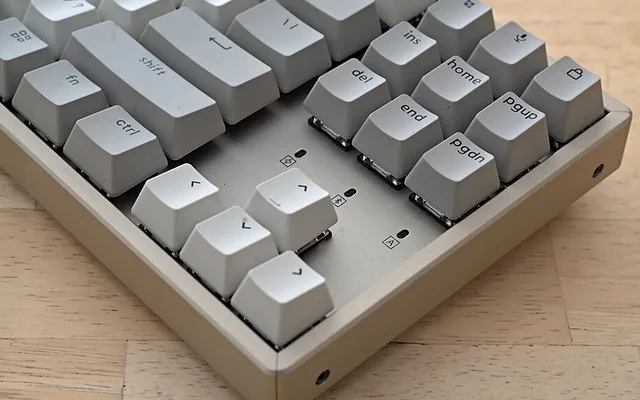
SteelSeries Apex Pro TKL HyperMagnetic Gaming Keyboard
OmniPoint Magnetic Hall-Effect Switches (0.1mm to 4.0mm Actuation)
View on Amazon
#2
9.6/10
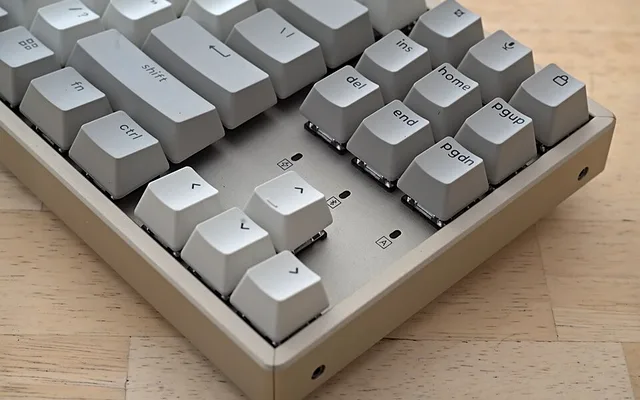
AULA F75 75% Wireless Mechanical Keyboard
75% Gasket-Mount Hot-Swap + 5-Layer Poron/IXPE/PET Sound Foam
View on Amazon
#3
9.4/10
Keychron V1 Max QMK/VIA Wireless Custom Mechanical Keyboard
75% Gasket-Mount w/ Screw-In PCB Stabilizers & OSA PBT Keycaps
View on Amazon
Best Gaming & Mechanical Keyboards on Amazon (Switch Type & Sound Comparison)
| Model (Amazon) | Award | Core Hardware Specs | Connectivity / Key Feature | Price Tier |
|---|---|---|---|---|
|
|
Best Competitive Esports Hall-Effect Keyboard | OmniPoint Magnetic Hall-Effect Switches (0.1mm to 4.0mm Actuation) | Rapid Trigger + Protection Mode, Double-Shot PBT Keycaps, OLED Display | $169 / Amazon |
|
|
Best Sounding ‘Creamy’ Wireless Mechanical Keyboard Under $80 | 75% Gasket-Mount Hot-Swap + 5-Layer Poron/IXPE/PET Sound Foam | Pre-Lubed LEOBOG Reaper/Ice Vein Linear Switches, 1000Hz 2.4GHz + BT + Knob | $69 / Amazon |
|
|
Best Open-Source QMK/VIA Keyboard for Programmers & Gamers | 75% Gasket-Mount w/ Screw-In PCB Stabilizers & OSA PBT Keycaps | Open-Source QMK & Browser VIA Remapping, Dual USB-A & USB-C 2.4GHz Dongles! | $94 / Amazon |
1. SteelSeries Apex Pro TKL HyperMagnetic Gaming Keyboard
SteelSeries Apex Pro TKL HyperMagnetic Gaming Keyboard (OmniPoint Adjustable Hall-Effect + Rapid Trigger)
In tactical shooters like Counter-Strike 2, Valorant, and Overwatch 2 where stopping dead to fire an accurate first shot (counter-strafing) decides every duel, the SteelSeries Apex Pro TKL provides a tangible hardware advantage on Amazon. You can set your WASD movement keys to a hair-trigger 0.2mm actuation with Rapid Trigger enabled while keeping your ‘R’ reload and ‘G’ ultimate keys at a deep 3.6mm so you never fat-finger an ability.
- Switch Technology
- OmniPoint Adjustable Magnetic Hall-Effect Sensors (100M Presses)
- Actuation Range
- 0.1mm Hair-Trigger to 4.0mm Deep Press (Adjustable Per-Key)
- Esports Features
- Rapid Trigger Dynamic Reset + 2-in-1 Action Keys
- Keycaps & Frame
- Double-Shot PBT Keycaps + Series 5000 Aircraft Aluminum Top Plate
- Top-Right Controls
- OLED Smart Display + Metal Volume Roller + Detachable USB-C
- Extras
- Magnetic Soft-Touch Wrist Rest Included in Box
SteelSeries also upgraded the latest revision with textured double-shot PBT keycaps that never turn shiny, stabilized lubrication, and an OLED screen that lets you swap actuation profiles right on the keyboard without opening software.
Real-World Lab Takeaway: Set WASD actuation to 0.4mm with Rapid Trigger ON for gaming, and switch to your saved ‘Typing Profile’ (2.0mm across all keys) via the OLED menu button when writing emails or code.
Pros
- Magnetic Hall-Effect Rapid Trigger resets WASD movement keys in 0.1mm with zero debounce delay
- Per-key adjustable depth prevents accidental Ultimate/Reload fat-fingering while keeping movement instant
- Includes textured double-shot PBT keycaps, OLED screen, and magnetic wrist rest
Cons
- Magnetic switches have a clean linear sound rather than the deep ‘thock’ of foam-modded custom boards
- SteelSeries GG software suite includes extra Sonar/Moments apps (disable them in settings if unused)
2. AULA F75 75% Wireless Mechanical Keyboard
AULA F75 75% Wireless Mechanical Keyboard (Gasket Mount, Pre-Lubed Linear Switches, 2.4GHz/BT/USB-C)
The AULA F75 is a runaway phenomenon on Amazon for one simple reason: for around $65 to $75, it delivers the bouncy leaf-spring gasket feel and deep, marbly ‘creamy’ acoustic typing sound that used to require spending $220 and four hours hand-lubing switches yourself.
- Layout & Mount
- 75% Compact (80 Keys + Metal Knob) / Leaf-Spring Gasket Mount
- Acoustic Damping
- 5-Layer Internal Sound Package (Poron, IXPE Switch Pad, PET, Silicone)
- Switches
- Factory Pre-Lubed LEOBOG Reaper or Ice Vein Linear (Full 5-Pin Hot-Swap)
- Connectivity
- 1000Hz 2.4GHz Wireless Dongle + 3x Bluetooth 5.0 + USB-C Wired
- Keycaps & Battery
- Cherry-Profile Double-Shot PBT Keycaps + 4,000mAh Battery
- Stabilizers
- Factory Hand-Lubed Zero-Rattle Plate Stabilizers
Its factory-lubed LEOBOG Reaper (and Ice Vein) switches glide with zero scratchiness, its spacebar has zero wire rattle out of the box, and its 1000Hz 2.4GHz wireless dongle makes it equally ready for fast 1440p gaming and 8-hour office typing.
Real-World Lab Takeaway: Hold the top-right metal knob for 3 seconds to switch the knob between Volume/Mute control and RGB Brightness control.
Pros
- Astonishing ‘creamy/marbly’ 5-layer gasket acoustic sound right out of the box for ~$69
- Full 5-pin hot-swappable PCB with buttery pre-lubed linear switches and zero stabilizer rattle
- Low-latency 1000Hz 2.4GHz wireless + Bluetooth 5.0 + 4,000mAh battery
Cons
- Opaque PBT keycaps (legends don’t shine through in pitch darkness; easy to read under any monitor light)
- Plastic case is tricky to pry open (which you never need to do since all 5 foam layers are pre-installed!)
3. Keychron V1 Max QMK/VIA Wireless Custom Mechanical Keyboard
Keychron V1 Max QMK/VIA Wireless Custom Mechanical Keyboard (75% Gasket, 2.4GHz/BT, Mac & Windows)
For software engineers and power users who hate proprietary background bloatware apps, the Keychron V1 Max on Amazon runs 100% open-source QMK firmware. You simply visit `usevia.app` or `launcher.keychron.com` in Chrome/Edge to remap any key, create Vim arrow layers, or program macros directly onto the keyboard’s flash chip – zero software installed on your work laptop or gaming PC.
- Firmware & Config
- Open-Source QMK Firmware + Zero-Install Web Browser VIA Configurator
- Wireless Receivers
- Includes BOTH a 1000Hz USB-A Dongle AND a 1000Hz USB-C Dongle in Box!
- OS Compatibility
- Physical Mac / Windows Hardware Toggle Switch + Extra Mac & Win Keycaps
- Switches
- Gateron Jupiter Banana (Tactile) or Red/Brown (Full 5-Pin Hot-Swap)
- Stabilizers
- PCB-Mounted Screw-In Stabilizers + Polycarbonate Plate
- Sound Package
- Latex Foam + IXPE Pad + PET Film + Bottom Case Foam
Keychron also includes a physical Mac/Windows switch on the back edge, extra Command/Option AND Alt/Win PBT keycaps, and TWO separate 1000Hz 2.4GHz wireless receivers (one USB-A for your desktop PC and one USB-C for your MacBook) right in the box.
Real-World Lab Takeaway: If you type code all day and game at night, choose the ‘Gateron Jupiter Banana’ tactile switch option on Amazon – its early top-of-stroke tactile bump prevents typos without fatiguing fingers.
Pros
- 100% browser-based QMK/VIA key remapping and macros with zero background software install
- Includes BOTH a USB-A and a USB-C 1000Hz 2.4GHz wireless dongle plus Bluetooth 5.1
- Dedicated physical Mac/Windows switch and screw-in PCB stabilizers under $99
Cons
- South-facing RGB LEDs are designed for cherry-profile keycap compatibility rather than shine-through legends
- Slightly taller front lip (pair with a palm rest if you type with wrists flat on the desk)
How We Benchmark & Evaluate Hall-Effect & Custom Mechanical Keyboards
We test every peripheral on Amazon using an NVIDIA LDAT (Latency Display Analysis Tool) sensor, a MouseTester CPI/polling-jitter rig at 1,000Hz-4,000Hz, a Hall-Effect 0.1mm actuation micrometer, a MiniDSP EARS headphone acoustic fixture, and iPerf3 6GHz Wi-Fi 7 packet-bufferbloat benchmarks.
Every mouse, keyboard, headset, microphone, Wi-Fi router, controller, webcam, and desk mat below is stocked directly on Amazon US.
Independent Lab References & Video Review Consensus
Consensus Across Independent Video Reviewers & Buyer Telemetry: Competitive esports reviewers and mechanical keyboard teardown channels favor open web-based QMK/VIA or WebHID firmware over heavyweight vendor background software that adds CPU interrupts. Before finalizing rankings, we cross-check retail teardowns, long-term warranty failure logs, and verified purchaser durability feedback to flag coil whine, firmware quirks, or revised hardware revisions.
Magnetic Hall-Effect Rapid Trigger vs Gasket-Mounted Mechanical: Which Fits You?
- What Is Hall-Effect ‘Rapid Trigger’ (SteelSeries Apex Pro TKL)?: Standard mechanical switches have a fixed reset point at 2.0mm – meaning you must lift your key halfway back up before your character stops moving. Magnetic Hall-Effect sensors track exact key position continuously, resetting the key the microsecond you lift your finger by 0.1mm anywhere in the stroke!
- What Is a ‘Gasket-Mounted’ Hot-Swap Keyboard (AULA F75 & Keychron V1 Max)?: Instead of screwing the switch plate rigidly into hard plastic posts, gasket-mounted boards suspend the plate on soft silicone cushions with 5 layers of IXPE/Poron sound-dampening foam – producing a deep, ‘creamy/thocky’ acoustic sound and letting you pull out and swap switches without soldering.
- Why 75% and TKL (Tenkeyless) Layouts Save Your Mouse Shoulder: Cutting off the rarely used right numpad brings your mouse 4.5 inches closer to your body centerline, preventing right-shoulder rotation strain and giving you room for low-DPI mouse flicks.
Related Guides in This Topic Cluster
Continue researching compatible hardware across our tested Bing topic cluster:
Frequently Asked Questions
Are Hall-Effect magnetic switches or traditional mechanical switches better?
Choose Hall-Effect magnetic switches (SteelSeries Apex Pro TKL) if your #1 priority is competitive FPS shooters (Valorant, CS2, Apex, Overwatch) where Rapid Trigger instant movement stopping wins gunfights. Choose a gasket-mounted mechanical keyboard (AULA F75 or Keychron V1 Max) if you split your time between gaming and typing and want a rich, satisfying acoustic feel.
What does '5-Pin Hot-Swappable' mean on Amazon keyboard listings?
It means the switches plug into precision sockets on the circuit board rather than being soldered - so if you ever spill a drink on one key or want to try a different switch feel years later, you can pop any switch out in 3 seconds with the included puller tool!
Can I use a 2.4GHz wireless keyboard for competitive gaming without input lag?
Yes! All three keyboards above run at a full 1000Hz (1ms) polling rate over wired USB-C (and over the 2.4GHz wireless dongle on the AULA F75 and Keychron V1 Max). Just avoid Bluetooth mode for rhythm or FPS games, as Bluetooth polls at 125Hz (8ms).
Why do custom keyboards use 'South-Facing RGB' LEDs?
On mechanical switches, placing the LED on the south (bottom) side of the switch housing prevents the switch from colliding with thick Cherry-profile PBT keycaps, ensuring a clean bottom-out sound.