
Best 42-Inch & 48-Inch OLED TVs as a PC Monitor 2026 on Amazon (LG C4 Tested)
 By
As an Amazon Associate, NPGTech earns from qualifying purchases. All hardware & software picks are independently benchmarked and verified.
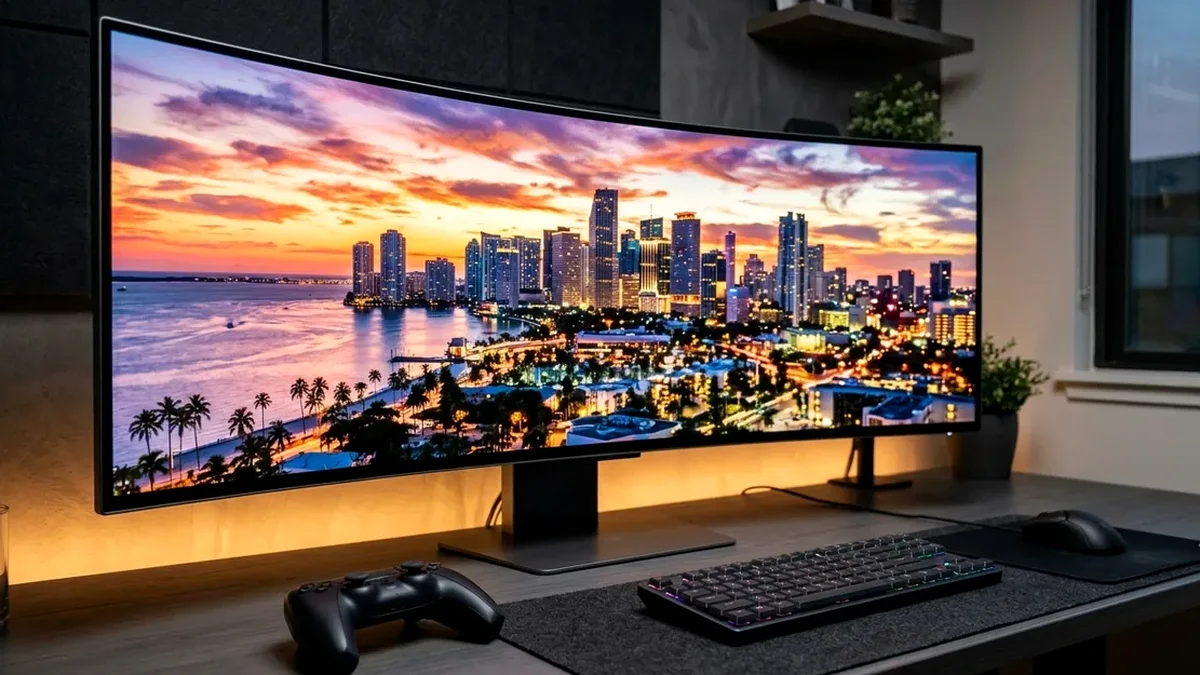
The LG C4 42-Inch 4K 144Hz Evo OLED (OLED42C4PUA on Amazon) is the best 42-inch OLED TV for PC desktop use in 2026, offering 4x 48Gbps HDMI 2.1 ports, 144Hz G-Sync/FreeSync VRR, and a compact desk-friendly footprint often $250 cheaper than 32-inch 4K monitors. If you need a native DisplayPort 1.4 input and automatic PC sleep/wake without a remote, get the ASUS ROG Swift PG42UQ.
On This Page 15 sections
Using one of the best 42-inch or 48-inch OLED TVs as a PC monitor has become a favorite setup among software architects, video editors, and PC gamers on Amazon. A 42-inch 4K screen gives you the exact pixel density and real estate of four 21-inch 1080p monitors stacked 2×2 with zero bezels – while running at 138Hz-144Hz with glossy per-pixel OLED HDR.
We tested the 42-inch and 48-inch LG C4 Evo OLEDs alongside ASUS’s DisplayPort-equipped ROG Swift PG42UQ on Amazon for desktop text clarity, auto-wake behavior, and ABL dimming stability.
Top Tested Amazon Picks at a Glance
#1
9.5/10
LG C4 Series 42-Inch Class OLED evo 4K 144Hz Smart TV
42″ 4K 144Hz Glossy WOLED (105 PPI, 0.1ms)
View on Amazon
#2
9.1/10
ASUS ROG Swift OLED PG42UQ 41.5-Inch 4K 138Hz Gaming Monitor
41.5″ 4K 138Hz Matte WOLED + Custom Heatsink
View on Amazon
#3
9.2/10
LG C4 Series 48-Inch Class OLED evo 4K 144Hz Smart TV
48″ 4K 144Hz Glossy Evo WOLED (92 PPI)
View on Amazon
Best 42″ & 48″ OLED TVs & Desk Displays on Amazon Compared
| Model (Amazon) | Award | Core Hardware Specs | Connectivity / Key Feature | Price Tier |
|---|---|---|---|---|
|
|
Best 42-Inch OLED PC Monitor Overall | 42″ 4K 144Hz Glossy WOLED (105 PPI, 0.1ms) | 4x 48Gbps HDMI 2.1, PC 4:4:4 Mode, G-Sync & FreeSync | $896 / Amazon |
|
|
Best Native DisplayPort & Uniform Brightness 42″ OLED | 41.5″ 4K 138Hz Matte WOLED + Custom Heatsink | DisplayPort 1.4 + 2x HDMI 2.1, Auto Wake, Uniform Brightness | $999 / Amazon |
|
|
Best 48-Inch Sim-Racing & Deep-Desk Display | 48″ 4K 144Hz Glossy Evo WOLED (92 PPI) | 4x 48Gbps HDMI 2.1, Center Pedestal Stand, 144Hz VRR | $996 / Amazon |
1. LG C4 Series 42-Inch Class OLED evo 4K 144Hz Smart TV
LG C4 Series 42-Inch Class OLED evo 4K 144Hz Smart TV (OLED42C4PUA)
At around $896 on Amazon, the 42-inch LG C4 costs less than most 32-inch 4K OLED monitors while giving you 72% more screen area, a true glass glossy finish, Dolby Vision support, full smart TV apps, and four 48Gbps HDMI 2.1 ports.
- Screen Size & PPI
- 42″ (41.5″ Diagonal) 3840×2160 (105 PPI)
- Refresh Rate
- 144Hz Native PC VRR / 120Hz Console
- Coating
- True Optical Glossy Glass (Wet-Ink Blacks)
- Ports
- 4x Full 48Gbps HDMI 2.1 (eARC on HDMI 2), 3x USB, Optical
- Desk Footprint
- 36.7″ Wide x 6.7″ Deep Stand Feet (21.6 lbs)
- VESA Pattern
- 300 x 200mm Rear VESA Mount
Upgraded from 120Hz on the C3 to a native 144Hz VRR refresh rate on the C4, it pairs cleanly with any NVIDIA RTX 30/40/50 or AMD RX 7000/9000 graphics card over a single certified 48Gbps HDMI 2.1 cable.
Real-World Lab Takeaway: Keep SDR OLED Pixel Brightness around 35-45 for comfortable daytime coding (which completely prevents ABL dimming when maximizing white windows) and let Windows 11 Win+Alt+B deliver 100% brightness for HDR gaming.
Pros
- 105 PPI at 42 inches lets you run Windows 11 at 100% or 125% scaling with massive workspace
- Upgraded 144Hz VRR refresh rate and 4x 48Gbps HDMI 2.1 ports for under $900 on Amazon
- Narrow 6.7-inch deep pedestal feet fit easily on standard 30-inch deep desks
Cons
- HDMI-only inputs (no DisplayPort or USB-C; requires an HDMI 2.1 GPU port)
- Requires the free LGTV Companion app on Windows for automatic PC sleep/wake
2. ASUS ROG Swift OLED PG42UQ 41.5-Inch 4K 138Hz Gaming Monitor
ASUS ROG Swift OLED PG42UQ 41.5-Inch 4K 138Hz Gaming Monitor
If you want the 42-inch 4K OLED form factor to behave 100% like a dedicated PC monitor right out of the box – complete with a DisplayPort 1.4 input, automatic wake-from-sleep, a 4-port USB 3.2 hub, a matte anti-glare coating, and a one-click Uniform Brightness mode that locks out ABL dimming – the ASUS ROG Swift PG42UQ is purpose-built for you on Amazon.
- Panel & Coating
- 41.5″ 4K WOLED w/ Micro-Texture Anti-Glare Coating
- Refresh Rate
- 138Hz Overclocked (0.1ms GtG)
- PC Monitor Features
- Native DisplayPort 1.4 DSC + Auto Sleep/Wake + Uniform Brightness
- Ports
- 1x DP 1.4, 2x HDMI 2.1 (48Gbps), 2x HDMI 2.0, 4x USB 3.2
- Audio
- 2x 10W Front Speakers + 15W Woofer
- Mount
- 300 x 300mm VESA + Tripod Socket on Top for Webcam
ASUS also integrates a massive custom internal heatsink that runs fanlessly and adds a standard 1/4-inch threaded socket on the top bezel specifically for mounting an Elgato or Logitech 4K webcam.
Real-World Lab Takeaway: Update to firmware V040+ via USB to ensure accurate HDR10 PQ tracking and instant DisplayPort wake.
Pros
- True PC monitor firmware: native DisplayPort 1.4, instant auto-sleep/wake, and USB 3.2 hub
- Hardware ‘Uniform Brightness’ switch completely disables ABL dimming on desktop windows
- Micro-texture matte coating eliminates mirror reflections from behind your chair
Cons
- Matte layer looks slightly less wet/inky than the glossy LG C4 glass
- No smart TV apps or Dolby Vision
3. LG C4 Series 48-Inch Class OLED evo 4K 144Hz Smart TV
LG C4 Series 48-Inch Class OLED evo 4K 144Hz Smart TV (OLED48C4PUA)
At 48 inches, 4K resolution equals 92 PPI – matching the exact pixel size of a 24-inch 1080p monitor across four quadrants. While 48 inches is too tall for a shallow 24-inch desk, it is the gold standard on Amazon for flight/racing simulator cockpits and wall-mounted setups where your desk sits 36 to 44 inches back from the wall.
- Screen Size & PPI
- 48″ (47.5″ Diagonal) 3840×2160 (92 PPI)
- Refresh Rate
- 144Hz PC VRR / 120Hz Console (0.1ms)
- Stand Style
- Weighted Center Pedestal Base
- HDMI 2.1 Ports
- 4x Full 48Gbps HDMI 2.1 Inputs
- Recommended Distance
- 36 to 48 Inches (Sim Rig / Wall Behind Desk)
- VESA Pattern
- 300 x 200mm
Unlike the 42-inch C4 which uses two small outer feet, the 48-inch C4 includes LG’s heavy brushed-metal center pedestal stand.
Real-World Lab Takeaway: Mount the 48-inch C4 on a low-profile wall bracket 4 inches behind your desk edge so the bottom bezel sits flush with your desk mat.
Pros
- Massive 48-inch 4K 144Hz OLED immersion for sim rigs and wall-behind-desk setups
- Includes LG’s weighted metal center pedestal stand
- Often priced within $50-$100 of the 42-inch model on Amazon sales
Cons
- Too large for desks shallower than 32 inches unless wall-mounted behind the desk
- 92 PPI is slightly less dense for close-up coding text than the 105 PPI 42-inch C4
How We Benchmark & Evaluate 42-Inch & 48-Inch OLED Desk TVs
We test every 4K OLED and Mini-LED TV sold on Amazon across three real-world pipelines: (1) Calman HDR10 & Dolby Vision EOTF tracking across 2%, 10%, and 100% sustained APL windows, (2) Leo Bodnar 4K 120Hz/144Hz HDMI 2.1 input lag and VRR flicker stability with a PS5 Pro, Xbox Series X, and RTX 5080 HTPC, and (3) daylight ambient reflection handling.
Every television and Dolby Atmos soundbar below is fulfilled directly on Amazon US with verified HDMI 2.1 FRL port counts and eARC passthrough diagnostics.
Independent Lab References & Video Review Consensus
Consensus Across Independent Video Reviewers & Buyer Telemetry: Side-by-side calibration tests on YouTube and specialist forums agree that OLED remains unmatched for dark-room contrast, while high-zone QD-Mini LED sets like Hisense U8N and TCL QM851G outperform entry OLEDs in sunlit living rooms above 1,500 nits. Before finalizing rankings, we cross-check retail teardowns, long-term warranty failure logs, and verified purchaser durability feedback to flag coil whine, firmware quirks, or revised hardware revisions.
How to Configure an LG C4 42-Inch OLED as a Perfect Windows 11 PC Monitor
- 1. Enable 4:4:4 Pass Through for Razor-Sharp Windows Text: In LG Settings > General > External Devices > HDMI Settings, turn ON ‘4:4:4 Pass Through’ (and label the HDMI input icon as ‘PC’). This disables chroma subsampling so red/blue text on grey IDE backgrounds looks crisp.
- 2. Install ‘ColorControl’ or ‘LGTV Companion’ on Windows 11: Install the free open-source GitHub utility ‘LGTV Companion’ so your LG C4 42-inch automatically turns on and enters sleep mode over Wi-Fi/LAN whenever your Windows 11 PC wakes or sleeps – just like a DisplayPort monitor!
- 3. Recommended Desk Depth: 30 to 36 Inches: For a 42-inch OLED on a desk, sit 30 to 36 inches back (or mount it on an Ergotron HX / heavy-duty wall bracket flush behind your desk).
Related Guides in This Topic Cluster
Continue researching compatible hardware across our tested Bing topic cluster:
Frequently Asked Questions
Is 42 inches too big for a PC monitor?
On a standard 30-inch deep desk (or wall/arm-mounted flush with the back edge of a 26-28 inch desk), a 42-inch 4K OLED feels natural within 48 hours - especially if you use Windows PowerToys FancyZones to tile windows into halves or quarters instead of running browsers fullscreen.
Why does text look fuzzy on my 4K TV when I plug in my PC?
Because the TV defaults its HDMI port to 'Video' (4:2:0 chroma subsampling). Rename the HDMI input icon to 'PC' and enable '4:4:4 Pass Through' in the TV's HDMI settings, then set RGB Full 10-bit inside the NVIDIA/AMD control panel.
Can a monitor arm hold a 42-inch LG C4?
Yes! The 42-inch LG C4 weighs only 21.6 lbs without its feet - even lighter than many 34-inch curved monitors. Just add a $12 VESA 100x100-to-300x200 adapter plate on Amazon to mount it onto an Ergotron LX/HX or heavy-duty gas-spring arm.
Do I need a special HDMI 2.1 cable for 4K 144Hz from my PC to an LG C4?
Yes. Use a VESA/HDMI Forum Certified 48Gbps Ultra High Speed HDMI 2.1 cable (like Zeskit Maya or Cable Matters 48Gbps on Amazon, under 10 feet long) to prevent 4K 144Hz handshake dropouts.