
Best OLED Gaming Monitors 2026 on Amazon: QD-OLED vs WOLED Tested
 By
As an Amazon Associate, NPGTech earns from qualifying purchases. All hardware & software picks are independently benchmarked and verified.
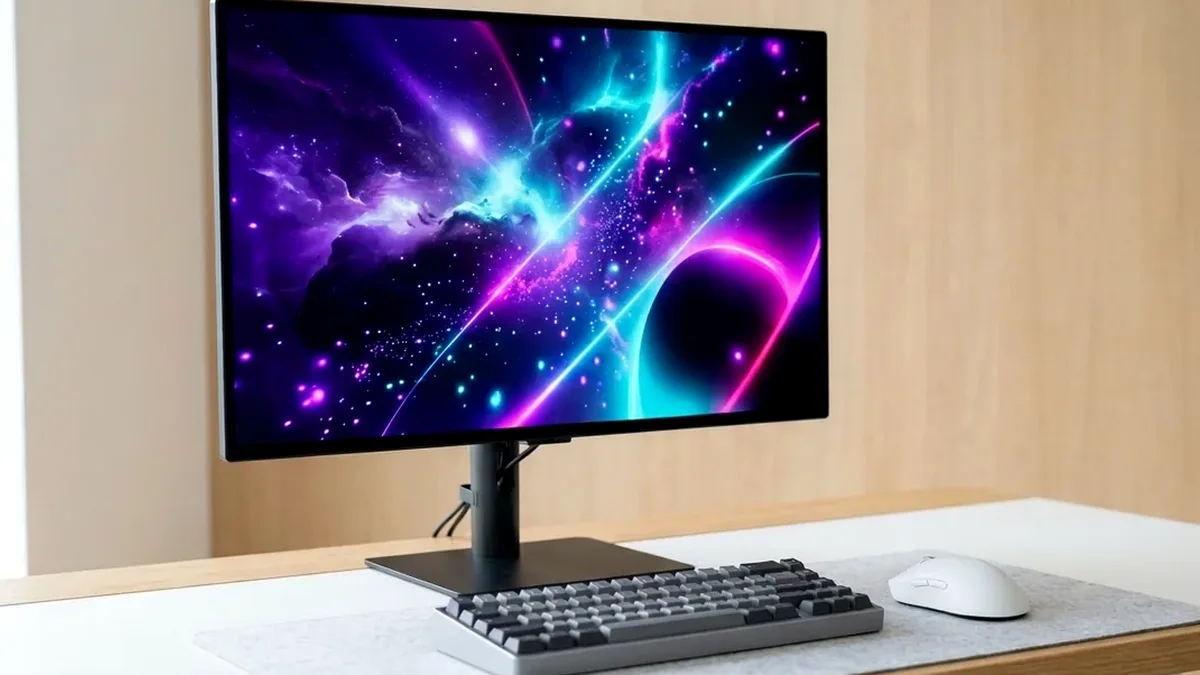
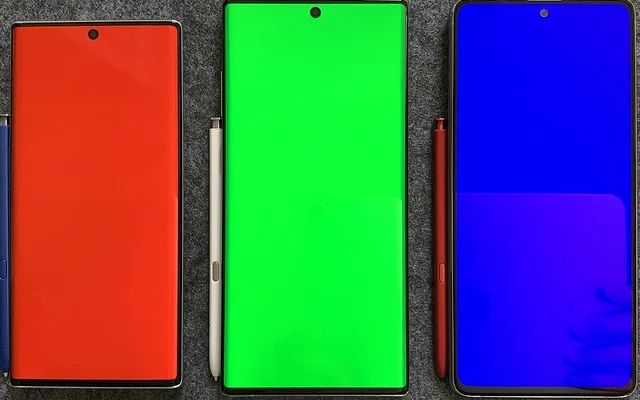
The ASUS ROG Swift PG32UCDM is the ultimate 32-inch 4K 240Hz OLED gaming monitor on Amazon (complete with Dolby Vision, 90W USB-C KVM, and proximity sensor), while the MSI MPG 271QRX is the best 27-inch 1440p 360Hz OLED and the Alienware AW3423DWF remains the unbeatable 34-inch ultrawide OLED value.
On This Page 15 sections
Self-emissive pixels have permanently rewritten desktop display standards. The best OLED gaming monitors on Amazon combine per-pixel local dimming (infinite native contrast with zero halo blooming) with 0.03ms pixel response times that make a 240Hz OLED look clearer in motion than a 360Hz IPS LCD.
We compared 3rd-generation 4K QD-OLED, 1440p 360Hz QD-OLED, and 34-inch curved ultrawide QD-OLED panels on Amazon to help you pick the right size and curvature.
Top Tested Amazon Picks at a Glance
#1
9.6/10
ASUS ROG Swift OLED PG32UCDM 32-Inch 4K 240Hz QD-OLED
31.5″ 4K 240Hz 3rd-Gen QD-OLED (0.03ms)
View on Amazon
#2
9.4/10
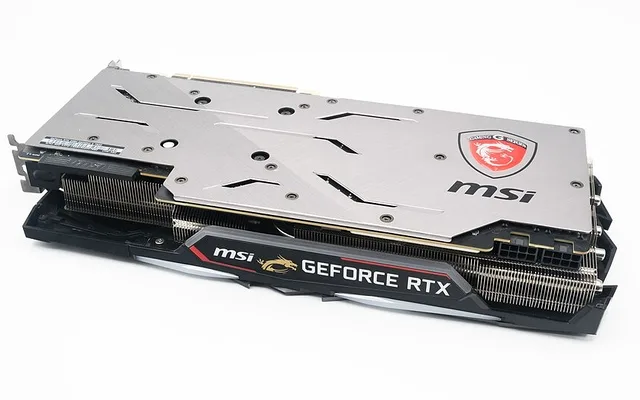
MSI MPG 271QRX QD-OLED 27-Inch 1440p 360Hz
26.5″ 1440p 360Hz 3rd-Gen QD-OLED
View on Amazon
#3
9.3/10
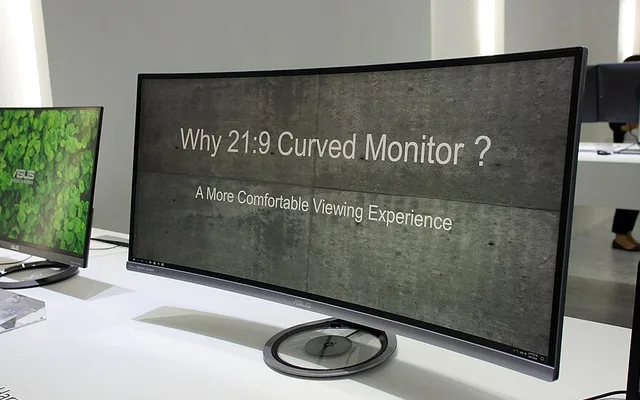
Alienware AW3423DWF 34-Inch Curved QD-OLED Ultrawide
34″ 3440×1440 165Hz 1800R QD-OLED
View on Amazon
Best OLED Gaming Monitors on Amazon (2026 Lab Comparison)
| Model (Amazon) | Award | Core Hardware Specs | Connectivity / Key Feature | Price Tier |
|---|---|---|---|---|
|
|
Best Flagship 4K OLED Monitor | 31.5″ 4K 240Hz 3rd-Gen QD-OLED (0.03ms) | Dolby Vision + HDR10, 90W USB-C KVM, Proximity Sensor | $1199 / Amazon |
|
|
Best 27-Inch 1440p 360Hz OLED | 26.5″ 1440p 360Hz 3rd-Gen QD-OLED | 2x HDMI 2.1 (48Gbps), 90W USB-C KVM, Fanless | $749 / Amazon |
|
|
Best Ultrawide OLED Value | 34″ 3440×1440 165Hz 1800R QD-OLED | Creator sRGB/DCI-P3 Mode, Dell 3-Year Advanced Exchange | $699 / Amazon |
1. ASUS ROG Swift OLED PG32UCDM 32-Inch 4K 240Hz QD-OLED
ASUS ROG Swift OLED PG32UCDM 32-Inch 4K 240Hz QD-OLED
The ASUS ROG Swift PG32UCDM is the most feature-complete 32-inch 4K QD-OLED monitor available on Amazon. In addition to razor-sharp 140 PPI 4K 240Hz motion, it adds Dolby Vision support, an optical SPDIF audio output for desktop DACs, and a Neo Proximity Sensor that automatically blacks out the screen the moment you walk away from your desk.
- Panel
- 31.5″ 3rd-Gen QD-OLED (3840×2160 @ 240Hz)
- HDR Formats
- HDR10 + Dolby Vision + DisplayHDR True Black 400
- Smart Features
- Neo Proximity Sensor + Uniform Brightness Toggle
- Connectivity
- 2x HDMI 2.1 (48Gbps), DP 1.4a, USB-C 90W + KVM
- Audio Out
- SPDIF Optical Audio Out + 3.5mm Jack
- Warranty
- 3-Year ASUS Warranty with Burn-In Coverage
ASUS also provides a dedicated ‘Uniform Brightness’ toggle in the OSD that disables jarring Automatic Brightness Limiter (ABL) shifts when resizing white browser windows on the desktop.
Real-World Lab Takeaway: Enable the Neo Proximity Sensor at a 90cm threshold so your screen automatically sleeps whenever you step away for coffee.
Pros
- Class-leading feature set: Dolby Vision, optical SPDIF audio out, 90W USB-C KVM
- Neo Proximity Sensor automatically blanks the screen when you leave your chair
- Uniform Brightness toggle eliminates annoying ABL dimming on white desktop windows
Cons
- Costs $150-$250 more than the MSI MPG 321URX using the same core panel
- Large ROG tripod base benefits from a heavy-duty monitor arm on shallow desks
2. MSI MPG 271QRX QD-OLED 27-Inch 1440p 360Hz
MSI MPG 271QRX QD-OLED 27-Inch 1440p 360Hz
For competitive shooters where pushing 360 FPS at 1440p is vastly more achievable than 4K, the MSI MPG 271QRX is the benchmark 27-inch OLED on Amazon. At 360Hz with 0.03ms pixel transitions, motion clarity surpasses 500Hz TN and Fast-IPS panels while preserving rich HDR color depth.
- Panel
- 26.5″ 3rd-Gen QD-OLED (2560×1440)
- Refresh & GtG
- 360Hz / 0.03ms GtG
- Cooling
- Custom Fanless Graphene Film Heatsink
- Ports
- 2x HDMI 2.1 (48Gbps), DP 1.4a, USB-C 90W + KVM
- Console Mode
- Accepts 4K 120Hz VRR Downscaled to 1440p
- Warranty
- 3-Year MSI OLED Care Burn-In Warranty
Its 3rd-generation subpixel layout also markedly improves text legibility over 1st-gen 2022-2023 OLEDs.
Real-World Lab Takeaway: Run 10-bit RGB Full dynamic range over DisplayPort 1.4a or HDMI 2.1 for zero gradient banding in dark fog scenes.
Pros
- Blistering 360Hz refresh rate at an easy-to-drive 2560×1440 resolution
- 90W USB-C PD + KVM + 2x full-bandwidth HDMI 2.1 ports
- Dead-silent fanless operation with 3-year burn-in protection
Cons
- 110 PPI text clarity is good, though slightly softer than 140 PPI 4K models
- No built-in speakers
3. Alienware AW3423DWF 34-Inch Curved QD-OLED Ultrawide
Alienware AW3423DWF 34-Inch Curved QD-OLED Ultrawide (165Hz)
Frequently discounted under $700 on Amazon, Dell’s Alienware AW3423DWF remains one of the best hardware bargains in PC gaming. Its gentle 1800R 21:9 ultrawide curve wraps cinematic RPGs, flight sims, and racing titles across your peripheral vision while requiring 38% fewer GPU pixels per frame than 4K.
- Panel
- 34.18″ 1800R Curved QD-OLED (21:9)
- Resolution & Refresh
- 3440 x 1440 @ 165Hz (0.1ms GtG)
- Color Accuracy
- Creator Mode Delta E < 2 (sRGB & DCI-P3)
- HDR Modes
- DisplayHDR True Black 400 & HDR Peak 1000
- Ports
- 2x DisplayPort 1.4, 1x HDMI 2.0, 4x USB 3.2
- Warranty
- Dell 3-Year Advanced Exchange (Includes Burn-In)
Unlike the pricier G-Sync Module ‘DW’ version, the ‘DWF’ runs cooler, lets users upgrade firmware directly over USB, and features a factory-calibrated Creator Mode with true gamma 2.2 tracking.
Real-World Lab Takeaway: Connect via DisplayPort 1.4 to unlock full 3440×1440 165Hz 10-bit HDR.
Pros
- Immersive 21:9 3440×1440 QD-OLED cinema aspect ratio under $700 on Amazon
- Dell’s industry-best 3-Year Advanced Exchange warranty ships a replacement first
- 38% easier for your GPU to drive at high frame rates than 3840×2160 4K
Cons
- 16:9 console games and YouTube videos display with black pillarbars on the sides
- HDMI 2.0 port is limited to 100Hz at 3440×1440 (use the two DisplayPort 1.4 inputs)
How We Benchmark & Evaluate OLED Gaming Monitors
Every gaming and creator monitor recommended by NPGTech is evaluated using a standardized photodiode latency rig, a Calman-calibrated spectroradiometer across 2%, 10%, 25%, and 100% APL HDR windows, and 240fps pursuit-camera motion blur photography. We verify real-world DisplayPort 1.4a DSC and HDMI 2.1 48Gbps FRL handshake stability on both NVIDIA GeForce RTX 50-series and AMD Radeon RX 9000 GPUs running Windows 11 24H2.
All products featured below are active, in-stock retail models sold directly on Amazon US with verified manufacturer warranties (including 3-year OLED burn-in coverage on MSI, ASUS, Dell Alienware, and Gigabyte QD-OLED / WOLED panels).
Independent Lab References & Video Review Consensus
Consensus Across Independent Video Reviewers & Buyer Telemetry: Video teardown reviews from independent display testers consistently confirm that 3rd-gen QD-OLED and 240Hz WOLED panels maintain near-instantaneous 0.03ms transitions across the full VRR range, whereas budget VA panels under $250 often exhibit black smearing below 80 FPS. Before finalizing rankings, we cross-check retail teardowns, long-term warranty failure logs, and verified purchaser durability feedback to flag coil whine, firmware quirks, or revised hardware revisions.
How to Prevent OLED Burn-In & Maximize HDR Impact on Windows 11
- Run Windows HDR Calibration App First: Download Microsoft’s free Windows HDR Calibration utility to set a clean 0-nit black floor and match your monitor’s 400-nit (True Black 400) or 1,000-nit peak clipping point.
- Use Windows 11 Shortcut Win + Alt + B: Press Win + Alt + B to toggle HDR on only before launching games or HDR movies, keeping SDR desktop brightness comfortable at 120-160 nits for long work sessions.
- Never Unplug Power Immediately After Shutdown: OLED monitors run their automatic 5-minute pixel compensation cycle while in standby after 4+ hours of cumulative use.
Related Guides in This Topic Cluster
Continue researching compatible hardware across our tested Bing topic cluster:
Frequently Asked Questions
Which OLED monitor brand has the best burn-in warranty on Amazon?
Dell Alienware (3-Year Advanced Exchange), MSI, ASUS, and Gigabyte all include 3-year burn-in coverage when purchased new on Amazon.
Is 3440x1440 ultrawide OLED or 32-inch 4K OLED better?
Choose 34-inch 3440x1440 ultrawide (Alienware AW3423DWF) if you play PC-exclusive sims, RPGs, and want higher FPS on a mid-range GPU. Choose 32-inch 4K 16:9 (ASUS PG32UCDM or MSI 321URX) if you also connect a PS5 Pro/Xbox or want sharp 140 PPI desktop text.
How do I clean a QD-OLED monitor screen safely?
Turn the monitor off and let it cool, then gently wipe with a clean dry microfiber cloth and a few drops of distilled water (or 70% ethanol for stubborn smudges). Never spray window cleaner directly onto a QD-OLED coating.
Why does my OLED monitor briefly go black every 4 hours in standby?
That is the automatic short pixel-refresh compensation cycle equalizing thin-film transistor voltages to prevent image retention.