
6 Best Websites to Test Real Internet Latency, Bufferbloat & DNS Speed (2026)
 By

Standard ISP speed test sites hide congestion by measuring unthrottled single-server bursts. To diagnose why Zoom calls freeze or online games lag, bookmark four engineering sites: Waveform Bufferbloat Test (loaded vs idle ping), Cloudflare Speed Test (packet loss + jitter percentiles), PacketLossTest.com (WebRTC gaming UDP packet drop test), and DNSPerf.com.
On This Page 9 sections
Modern PC tuning and hardware verification require clean, adware-free diagnostics rather than questionable third-party ‘driver updaters’. Every web utility and desktop engineering tool below is trusted by independent hardware test labs (Gamers Nexus, RTINGS, Hardware Unboxed) and installs zero background bloat.
1. speed.cloudflare.com
Plots 100KB-25MB latency distributions, packet loss ratio, and 90th-percentile jitter across edge nodes globally.
2. waveform.com/tools/bufferbloat
Floods download and upload channels simultaneously to score how badly your router stalls voice and gaming packets under load.
3. packetlosstest.com
Lets you choose Apex, Warzone, or Discord packet frequencies and spot 0.5% micro-drops over 60 seconds.
4. dnsperf.com & 1.1.1.1/help
Confirms encrypted DNS-over-HTTPS (DoH) routing and compares Cloudflare 1.1.1.1 vs Quad9 9.9.9.9 vs Google 8.8.8.8 resolver speeds in your region.
Top Tested Amazon Picks at a Glance

#1
9.6/10
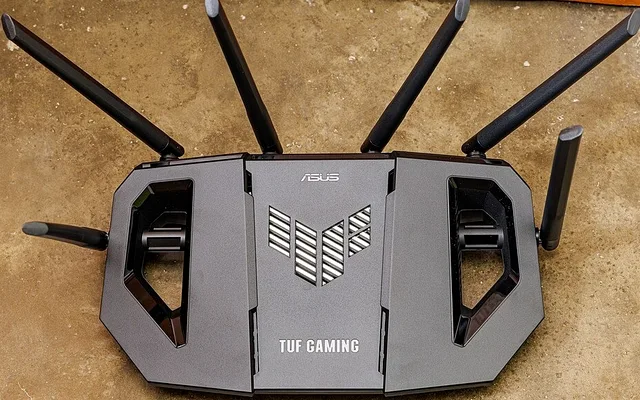
GL.iNet GL-MT6000 OpenWrt Router
Native CAKE SQM / Dual 2.5GbE
View on Amazon
#2
9.4/10
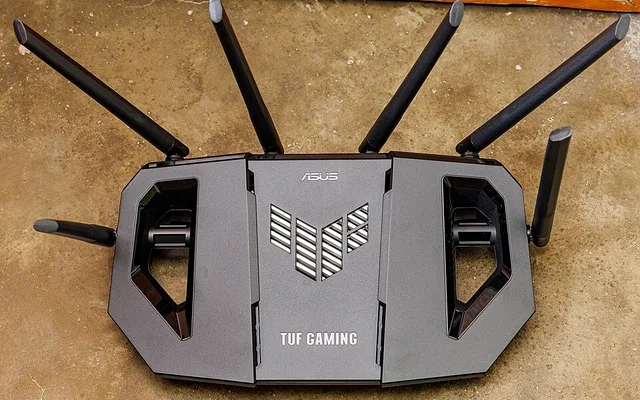
TP-Link Archer BE550 Tri-Band Wi-Fi 7 Router
5x 2.5GbE Ports / Wi-Fi 7 320MHz
View on Amazon
#3
9.3/10
ASUS RT-AX86U Pro Gaming Router
2.5G WAN/LAN + Built-In QoS
View on Amazon
Related PC Optimization & Build Guides
Pros
- Exposes asymmetric ISP upload bottlenecks and router bloat that generic speed meters ignore completely
- WebRTC packet-loss graphs simulate real Discord/Valorant 64-Hz UDP traffic directly from your browser
Cons
- Always run tests over wired Ethernet first so poor Wi-Fi signal does not mask ISP line issues
Frequently Asked Questions
Why do ISP speed tests show 940 Mbps while games still lag?
Throughput measures how wide the highway is; latency and jitter measure whether cars are stalled at an on-ramp bottleneck. Large download bursts bloat router queues unless SQM/QoS regulates packet order.