
15 Most Useful Tech Websites Every PC Builder & Windows 11 User Should Bookmark (2026)
 By
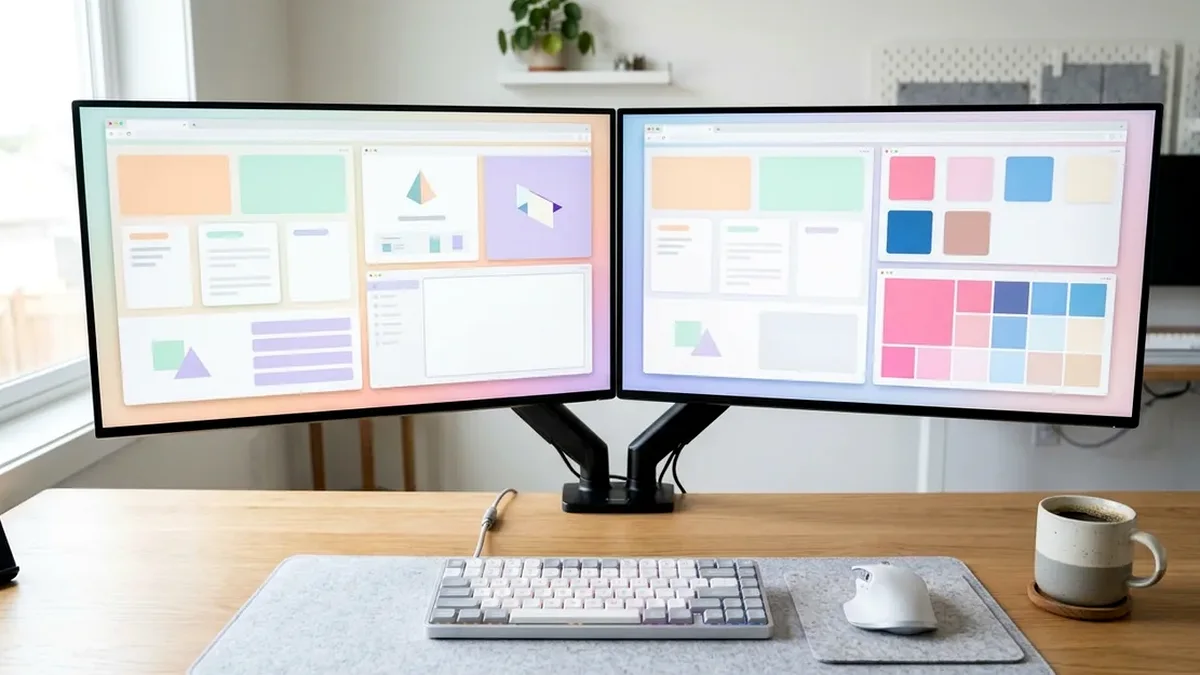
The 15 essential zero-bloat websites every PC owner should bookmark in 2026 include Ninite & Winget.run (silent fresh-PC app installers), TestUFO (display refresh/ghosting validation), Waveform Bufferbloat (network lag diagnostics), PCPartPicker (wattage/dimension checking), UseVIA.app (driver-free keyboard programming), and VirusTotal - paired with a physical YubiKey 5C NFC hardware security key from Amazon to lock down your accounts.
On This Page 13 sections
Setting up a newly built gaming PC, diagnosing monitor ghosting or Wi-Fi lag spikes, or cleaning up Windows 11 shouldn’t require downloading sketchy adware utilities. Below are the 15 most useful tech websites for PC users and builders in 2026 – 100% browser-based engineering tools that run with zero background bloat – plus the #1 physical hardware security key on Amazon every power user should own.
1. Fresh Windows 11 PC Setup & Package Automation
1. Ninite.com & 2. Winstall.app (Winget Generator)
Ninite.com remains the fastest way to check 15 core apps (7-Zip, VLC, Discord, Steam, VS Code, Everything Search, Python, Firefox/Chrome) on a brand-new Windows 11 install and run a single silent unattended installer that automatically rejects bundled toolbar junk. For an even wider catalog of 4,000+ developer packages via Microsoft’s native winget CLI, use Winstall.app to generate a one-line PowerShell install script.
2. Display, Refresh Rate, Controller & Audio Hardware Diagnostics
3. TestUFO.com / 4. EIZO Monitor Test / 5. HardwareTester.com/gamepad
- TestUFO.com (Blur Busters Motion Tests): Immediately verifies whether Windows 11 is actually running your new monitor at 180Hz, 240Hz, or 360Hz (see our best gaming monitors guide) and exposes overdrive inverse ghosting coronas before you launch a game.
- EIZO.be/monitor-test: A clean 13-step full-screen browser test to inspect a new Amazon monitor or 4K OLED TV within 5 minutes of unboxing for dead pixels, uniformity banding, and subpixel text sharpness.
- HardwareTester.com/gamepad: Plug in any Hall-Effect PC controller to check live thumbstick center drift, circularity error, and trigger curves in Chrome.
3. Driver-Free Peripheral Configuration (WebHID API)
6. UseVIA.app & 7. Wootility Web
Modern enthusiast keyboards like the Keychron V1 Max use Chromium’s WebHID API so you can remap keys, program macros, and adjust lighting directly inside a browser tab at UseVIA.app (or launcher.keychron.com) – saving changes straight to the keyboard’s onboard flash chip with zero background apps eating your RAM.
4. Network Bufferbloat, DNS & Security Auditing
8. Waveform Bufferbloat Test / 9. VirusTotal.com / 10. HaveIBeenPwned.com
- Waveform.com/tools/bufferbloat: Standard speed tests only show download megabits. Waveform’s Bufferbloat test measures how many milliseconds your gaming ping spikes while your connection is under heavy download/upload load – telling you instantly if you need SQM QoS on a Wi-Fi 7 or OpenWrt gaming router.
- VirusTotal.com: Upload any suspicious
.exe, mod file, or URL to scan it simultaneously across 70+ antivirus engines and sandbox behavioral analyzers before running it. - HaveIBeenPwned.com: Check whether your email or old credentials appeared in verified corporate database breaches.
5. PC Building, Game Fixes, Privacy Tools & Local File Sharing
11. PCPartPicker / 12. PCGamingWiki / 13. PairDrop.net / 14. CyberChef / 15. Excalidraw
- PCPartPicker.com: Cross-checks AM5 BIOS versions, case GPU millimeter lengths, and ATX 3.1 PSU wattage overhead before you checkout on Amazon.
- PCGamingWiki.com: The encyclopedia of exact config-file locations, FOV unlockers, intro-video skip flags, and ultrawide 21:9 fixes for every PC game ever released.
- PairDrop.net: Open-source, local-Wi-Fi browser equivalent of Apple AirDrop that transfers screenshots and files between your iPhone/Android and Windows 11 PC instantaneously.
- gchq.github.io/CyberChef & Excalidraw.com: Client-side data encoding/hashing swiss-army knife and hand-drawn system architecture diagramming in your browser.
Essential Amazon Hardware Pick for Every Web & PC Power User: YubiKey 5C NFC
Yubico YubiKey 5C NFC – Two-Factor Authentication USB-C & NFC Security Key
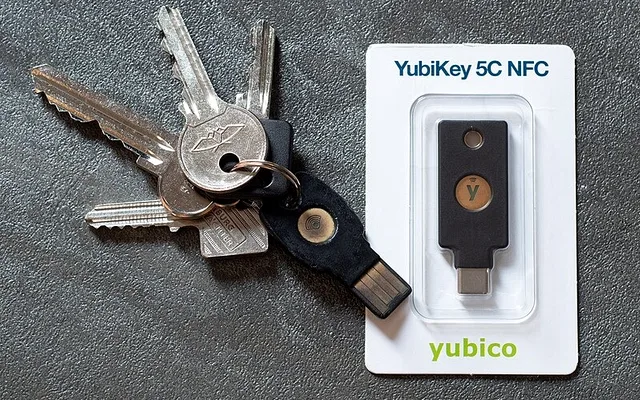
SMS two-factor codes and even 6-digit authenticator prompts can be intercepted by real-time reverse-proxy phishing pages. A physical FIDO2/WebAuthn hardware key like the Yubico YubiKey 5C NFC on Amazon cryptographically binds login signatures to the exact origin domain inside the browser – making remote account takeover of your Google, GitHub, AWS, Cloudflare, Password Manager (Bitwarden/1Password), and Microsoft accounts mathematically impossible without physically touching the gold capacitive pad on your desk.
- Interface
- USB-C Plug + Contactless NFC (iOS/Android)
- Protocols
- FIDO2 / WebAuthn (Passkeys), U2F, Smart Card PIV, OpenPGP
- Durability
- IP68 Waterproof, Crush-Resistant, Zero Batteries
- Manufacturing
- Made in USA & Sweden (Tamper-Evident Packaging)
Related Tech Guides
Pros
- Hardware FIDO2/WebAuthn cryptography makes phishing your Google, GitHub, AWS & Microsoft accounts physically impossible
- Dual USB-C plug (for PC/MacBook) + contactless NFC tap (for iPhone & Android)
- IP68 waterproof, crush-resistant fiberglass body made in USA/Sweden with zero batteries to ever die
Cons
- Best practice is registering a second backup key (or recovery passkey) kept in a safe drawer
Frequently Asked Questions
Are browser-based hardware configurators like UseVIA.app safe?
Yes! Chromium's WebHID permission model requires you to explicitly select and approve your keyboard in a browser pop-up before the page can talk to that single USB device, and zero background services run once you close the tab.
Why is a physical YubiKey 5C NFC safer than SMS or an authenticator app?
If you accidentally type a 6-digit SMS or Google Authenticator code into a convincing fake login page, an attacker can replay that code immediately. A FIDO2 YubiKey verifies the genuine TLS cryptographic domain certificate of the website directly with the browser - even if you fell for a fake URL and touched the key, the YubiKey refuses to sign the challenge for the wrong domain!
What happens if I lose my YubiKey?
When setting up a YubiKey on Google, GitHub, or Bitwarden, you always register a backup authentication method (ideally a second backup YubiKey stored in a safe drawer at home, plus printed one-time recovery codes).
Does PairDrop.net send my files to a remote cloud server when transferring between my phone and PC?
When your phone and Windows 11 PC are connected to the same home Wi-Fi router, PairDrop uses peer-to-peer WebRTC to beam files directly across your local LAN at full Wi-Fi speed without uploading your files to an external cloud storage server.